Radar cruise controlDynamic radar cruise controlCruise control
Dynamic radar cruise controlCruise controlThe vehicle can be driven at a set speed even if the accelerator pedal is not depressed.Use the cruise control only on highways and expressways.Warning:For safe useDriving safely is solely the responsibility of the driver. Therefore, do not overly
rely on this system. The driver is solely responsible for paying attention to the
vehicle’s surroundings and driving safely.Set the speed appropriately according to the speed limit, traffic flow, road conditions,
weather conditions, etc. The driver is responsible for confirming the set speed.Situations in which cruise control should not be usedDo not use the cruise control in the following situations. As the system will not
be able to provide appropriate control, using it may lead to an accident resulting
in death or serious injury.On roads with sharp bendsOn winding roadsOn slippery roads, such as those covered with rain, ice or snowOn steep downhills, or where there are sudden changes between sharp up and down gradientsVehicle
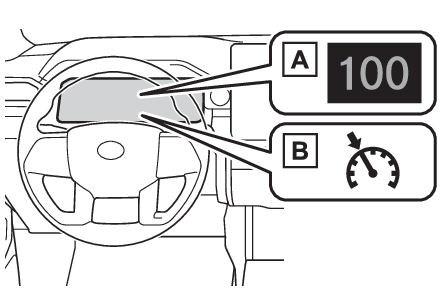
speed may exceed the set speed when driving down a steep hill.When it is necessary to disable the system: When it is necessary to disable the systemWhen towing another vehicleTDA (Trailer Driving Assist)*When lift upWhen lift upSystem componentsMulti-information display
Cruise controlDisplay
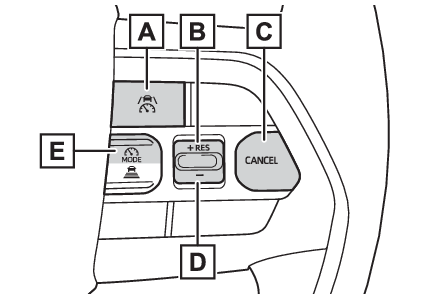
Cruise controlMeter displaySet vehicle speedCruise control indicatorSwitches
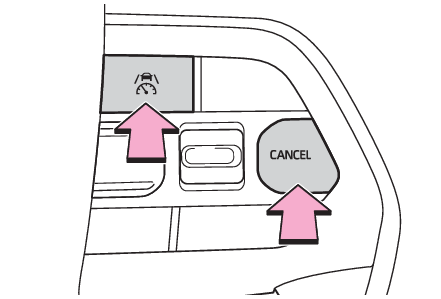
Cruise controlSwitchesDriving assist switch“
+” switch/“
RES” switchCancel switch“
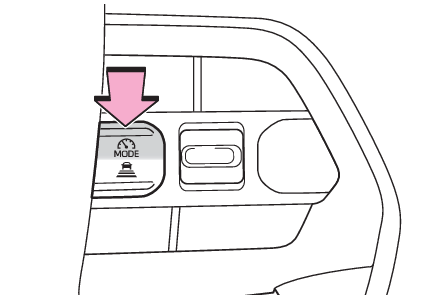
-” switchDriving assist mode select switchUsing the cruise controlSetting the vehicle speedPress the driving assist mode select switch to select cruise control.The cruise control indicator will illuminate.Using the accelerator pedal, accelerate to the desired vehicle speed (approximately
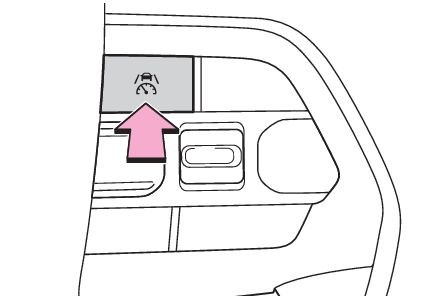
20 mph [30 km/h] or more), and press the driving assist switch to set the set vehicle
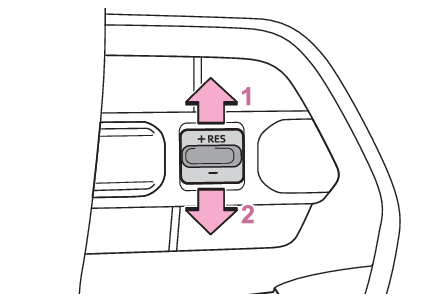
speed.The vehicle speed at the moment the switch is released will be the set vehicle speed.Adjusting the set vehicle speedAdjusting the set vehicle speed using the switchesTo change the set vehicle speed, press the “
+” or “
-” switch until the desired speed is displayed.Increase set vehicle speedDecrease set vehicle speedThe set vehicle speed will increase or decrease as follows:Fine adjustment: By 1 mph (1.6 km/h) or 1 km/h (0.6 mph) each time the switch is pressedLarge adjustment: Increases continuously while the switch is pressed and heldIncreasing the set vehicle speed using the accelerator pedalDepress the accelerator pedal to accelerate the vehicle to the desired vehicle speed.Press the “
+” switch.Canceling/resuming controlPress the cancel switch or driving assist switch to cancel control.Control will also be canceled if the brake pedal is depressed.Press the “
RES” switch to resume control.Note:Automatic cancelation of the cruise controlIn the following situations, the cruise control will be canceled automatically:When the vehicle speed drops approximately 10 mph (16 km/h) or more below the set
vehicle speedWhen the vehicle speed drops approximately 20 mph (30 km/h)When the brake control or output restriction control of a driving support system operates
(For example: PCS, drive-start control)Vehicles with a manual transmission: When the shift lever is in N or the clutch pedal
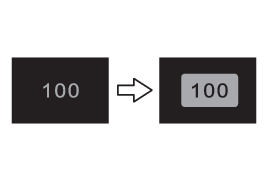
is depressed for more than a certain amount of timeWhen the parking brake has been operatedWhen the driver’s seat belt is unfastenedSituations in which some or all of the functions of the system cannot operate: Situations in which some or all of the functions of the system cannot operateDisplay and system operation stateThe operating state of cruise control is indicated.